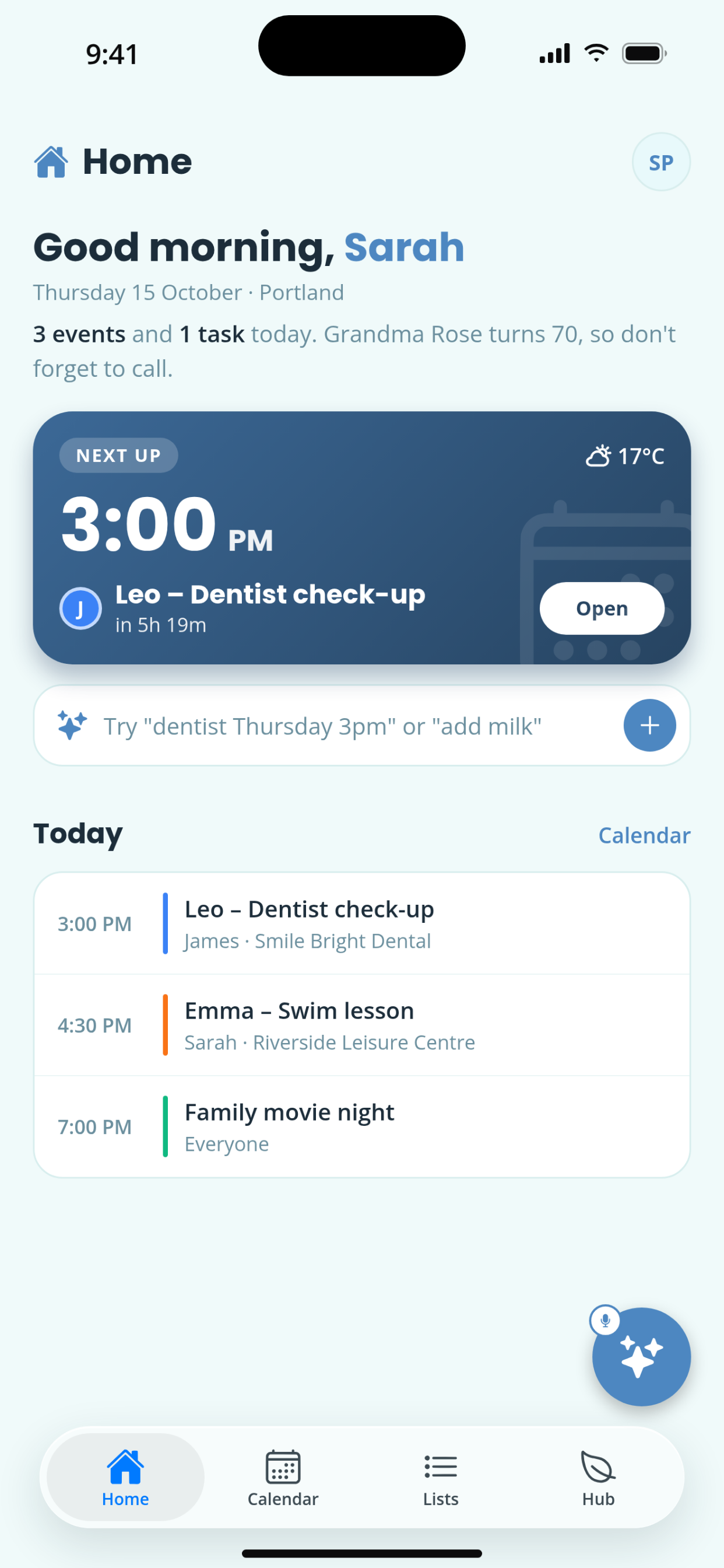
Type “dentist Thursday 3pm for Emma” and it’s on the calendar, assigned, with a reminder. Keeso is the shared calendar, task list and household hub your whole family actually uses.
Free to start · Premium from $4.99/mo · Android coming soon

Smart Inbox
Write or speak the way you’d text your partner. Keeso works out what it is, who it’s for and when, then you confirm with one tap.
Keeso turns it into
Everything in one place
Four things every household juggles, working together instead of in four different apps.
One shared calendar and a home screen that shows what needs attention today.
Tasks and shopping lists that everyone can see and tick off in real time.
Meals, money and paperwork in the same place as the calendar.
Passports, insurance, warranties and school forms, stored securely and searchable in seconds.
Pricing
Start free. Try Premium free for 14 days and cancel any time.
For getting your family organized
or $39.99 / year · save 33%
Prices in USD. Subscriptions are billed and managed through your Apple ID.
How it works
Sign up with your email and name your family. That’s the whole setup.
Share a short invite code with your partner and kids. They join by entering it in the app.
Drop your first plans into the Smart Inbox and watch everyone’s home screen update.
FAQ
Yes. The shared calendar, tasks, shopping lists and family hub are free for up to 5 family members. Keeso Premium is $4.99 per month or $39.99 per year (USD) and adds the Smart Inbox, Document Vault, Meal Planner, Finance Tracker and unlimited members. New subscribers get a 14-day free trial.
When you create a family, Keeso gives you a short invite code (like ABCD-1234). Share it with your partner or kids and they enter it in the app to join.
Type or speak something like “remind me to book the car service before the end of the month” or “add almond milk to the shopping list.” Keeso works out whether it’s an event, a task or a list item, fills in the details, and shows you a confirmation before saving.
To interpret your message, its text is sent to our AI provider. We don’t sell it or use it for advertising.
Your data is encrypted in transit and stored securely. We don’t sell your personal information or share it with advertisers, and we only use your data to run the features you’ve asked for. Read the details in our Privacy Policy.
Yes. Children join as a Child member and see the shared calendar and the tasks assigned to them. Parents keep control of what gets added and assigned.
Anyone creating their own account must be 13 or older.
Keeso is available on iPhone through TestFlight today. Android is planned. It’s designed for phones, and there isn’t a tablet layout yet.
Go to Settings → Apple ID → Subscriptions on your iPhone. Premium stays active until the end of the billing period, then you move back to the free plan and keep your data.
Your personal data is removed from our servers within 30 days. Family data shared with other members is handled as described in our Privacy Policy. Download anything you need from your vault first.
Join the TestFlight and get your household on the same page this week.
Join on TestFlightFree to start. Premium includes a 14-day free trial.